URL Structure for SEO - How to Create URLs That Rank
Discover how URL structure for SEO impacts rankings and clicks. Simple, beginner-friendly rules for writing URLs that work for you.
June 17, 2026
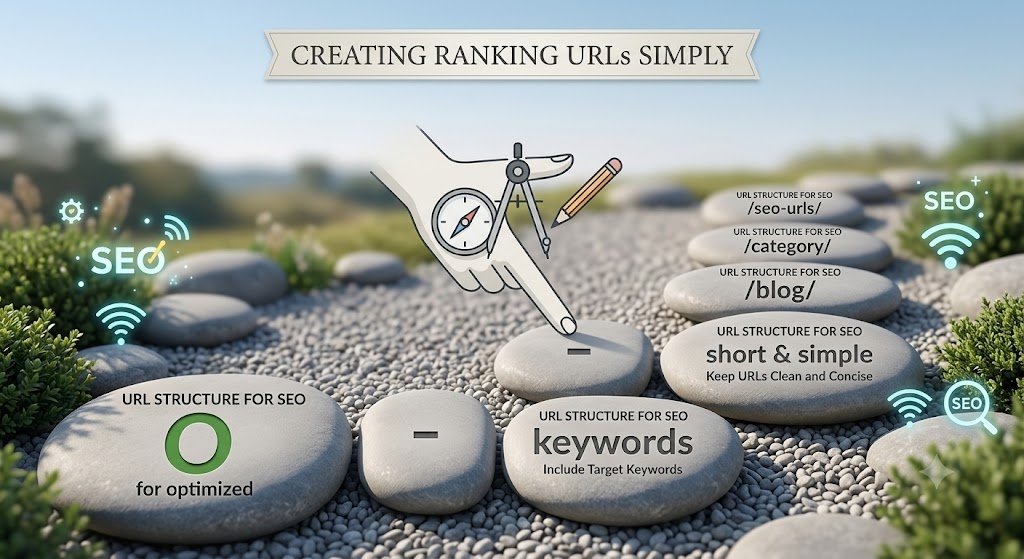
Most people never think about their URLs. They write a post, hit publish, and let the website generate whatever default link it wants. The result is often something like:
yoursite.com/?p=4827
or
yoursite.com/2026/06/15/this-is-my-amazing-blog-post-about-something
Neither of these helps you. URL structure for SEO is one of those small details that's easy to fix and easy to ignore, but it quietly affects how search engines understand your page and how likely people are to click your link.
Let's go over what makes a URL SEO-friendly and how to fix yours without breaking your site.
Why URL Structure for SEO Matters
A URL is one of the first things a search engine reads when it crawls a page. It's also one of the first things a person sees when your link shows up in search results, in a shared message, or in their browser tab.
A clear, well-structured URL does a few things:
✅ It tells search engines what the page is about. A URL like /blog/url-structure-for-seo is far more descriptive than /blog/post-4827.
✅ It builds trust with readers. People are more likely to click a link that looks clean and relevant, rather than one full of random numbers and symbols.
✅ It's easier to share and remember. Short, descriptive URLs are simpler to type, paste, and reference.
✅ It supports your overall site structure. Logical URLs make it easier to organize content into categories and clusters, which ties directly into your on-page SEO for beginners strategy.
What Makes a Good URL Structure
1. Keep it short
Shorter URLs tend to perform better in search results and are easier for people to read at a glance. Aim to cut anything that doesn't add meaning.
For example:
yoursite.com/blog/2026/06/15/category/how-to-write-a-meta-description-for-your-website
becomes
yoursite.com/blog/how-to-write-a-meta-description
If you're unsure where to draw the line, our guide on short URLs vs long URLs breaks down exactly when shorter wins and when a bit more detail is fine.
2. Use your primary keyword
Including your primary keyword in the URL slug helps search engines connect the page to relevant searches. It also gives readers a quick preview of what the page covers before they even click.
This doesn't mean stuffing the URL with keywords. One clear, relevant phrase is enough. If you're wondering exactly how to approach this, our breakdown on using keywords in your URL slug covers it in detail.
3. Use hyphens, not underscores
Search engines treat hyphens as word separators but often read underscores as connecting words together. "url-structure-for-seo" is read as three separate words. "url_structure_for_seo" may be read as one long string.
Always use hyphens between words in your slugs.
4. Avoid dates in URLs (when possible)
Dated URLs like /2024/03/15/post-title can make content look outdated, even if you've updated it recently. Unless your content is genuinely time-sensitive (like news), skip the date.
5. Use lowercase letters only
URLs are case-sensitive on most servers. /Blog/Post-Title and /blog/post-title can technically be treated as two different pages, which creates confusion and potential duplicate content issues. Stick to lowercase consistently.
6. Remove unnecessary words
Words like "and," "the," "a," and "of" rarely add value to a URL. "How to Write the Perfect SEO Title Tag" can become /how-to-write-seo-title-tag without losing any meaning.
How URL Structure Fits Into Your Bigger SEO Picture
URL structure isn't a standalone fix. It works best alongside other on-page elements: your title tags, headings, and internal links should all align with the topic your URL describes.
When everything matches, search engines get a clear, consistent signal about what your page is about, and your odds of ranking for the right terms go up.
If you're updating URLs across your site, be careful. Changing a live URL without setting up a redirect can break existing links and hurt rankings temporarily. Always redirect old URLs to new ones if you make changes to published content.
Checking Your URL Structure
If you're not sure whether your current URLs are helping or hurting your SEO, running your pages through an SEO checker can highlight quick wins.
Rankivo's SEO Score Checker reviews your page structure, including elements tied to URL and content optimization, and gives you specific suggestions, without requiring you to learn a complicated enterprise dashboard.
Final Thoughts
Good URL structure for SEO comes down to a few simple habits: keep it short, include your primary keyword, use hyphens, avoid unnecessary words, and stay consistent with lowercase letters.
These small changes add up. Clean URLs are easier for search engines to understand, easier for people to trust, and easier for you to manage as your site grows.
Want to see how your current pages stack up? Try Rankivo's SEO Score Checker to get tailored suggestions, or visit rankivo.co to explore the rest of the toolkit.
This Article Is Part of Our On-Page SEO Series
📚 Explore the full Keyword Research Series
Start here:
Pillar article:
👉 On-Page SEO for Beginners: The Complete 2026 Guide
Parent cluster article:
URL Structure for SEO: How to Create URLs That Rank)← You are here
Explore the full series to go deeper on any topic.
FAQ
What is the ideal URL structure for SEO?
A short, descriptive URL using lowercase letters, hyphens between words, and your primary keyword. For example: /blog/url-structure-for-seo.
Should I include dates in my blog URLs?
Generally no, unless your content is time-sensitive news. Dated URLs can make evergreen content look outdated.
Do hyphens or underscores matter in URLs?
Yes. Hyphens are read as word separators by search engines, while underscores can be read as connecting words together. Always use hyphens.
What happens if I change my URL after publishing?
Changing a live URL can break existing links and hurt rankings unless you set up a proper redirect from the old URL to the new one.
Does keyword placement in the URL really make a difference?
It can. Including your primary keyword in the URL gives both search engines and readers a clear signal about the page's topic, supporting your overall on-page SEO.
Ready to create content like this?
Use RANKIVO to generate SEO-optimized content in seconds. Start free today.
Start Free — No Credit Card