Should You Use Keywords in Your URL Slug?
Keyword-rich URL slugs can give your page a small ranking edge — but only if done right. Here's how to write SEO-friendly slugs without overdoing it.
June 29, 2026
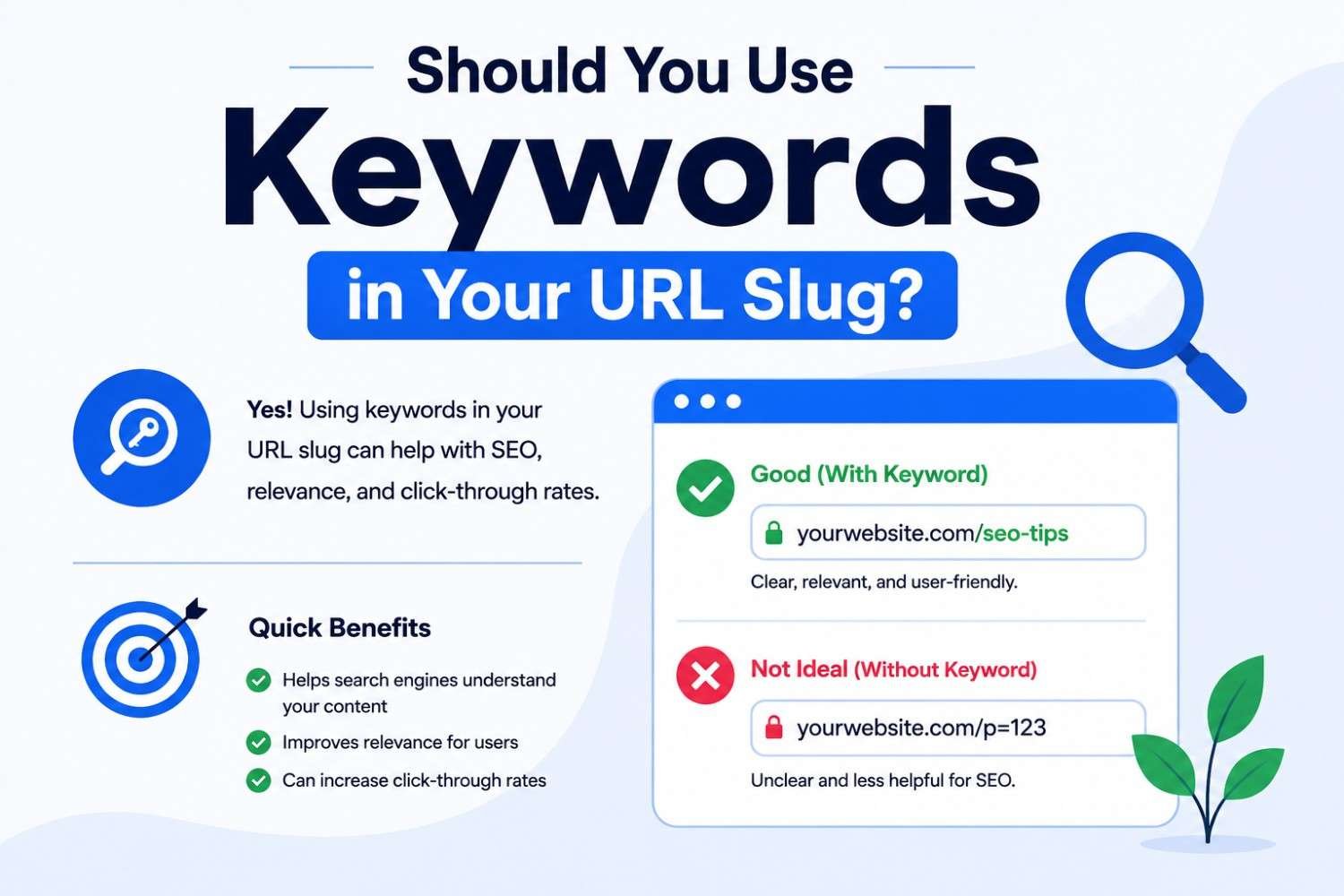
A URL slug is the part of the address that comes after your domain — the bit you typically write yourself when you publish a page. For example, in rankivo.co/blog/url-structure-for-seo, the slug is url-structure-for-seo.
Should that slug include your target keyword? Short answer: yes, generally. But how you do it matters more than just stuffing the keyword in.
Does Putting a Keyword in Your Slug Help SEO?
Yes, modestly. Google has confirmed that words in the URL are one of the (minor) signals used to understand what a page is about.
It's not a major ranking factor on its own — you won't outrank a stronger, more authoritative page just because your slug matches the keyword more precisely. But as one of many small on-page signals, it adds up alongside your title, headings, and content.
There's also a real benefit beyond rankings: a keyword-matched slug helps readers. When someone sees /blog/how-to-write-a-meta-description in a search result or shares the link, they instantly know what the page covers. That clarity builds trust and can improve click-through rates.
How to Write an SEO-Friendly Slug
✅ Match your primary keyword closely — If your primary keyword is "internal linking for SEO," a slug like
internal-linking-for-seois a direct, clear match. You don't need to force every secondary keyword in too.✅ Use hyphens, not underscores — Google treats hyphens as word separators but doesn't always treat underscores the same way.
internal-linking-for-seois correctly read as four words.internal_linking_for_seomay be read as one string.✅ Keep it lowercase — Mixed-case URLs can create duplicate content issues, since
/Blog/Postand/blog/postmay be treated as different URLs depending on server configuration.✅ Remove unnecessary stop words — Words like "a," "the," "and," "of," and "for" can often be dropped without losing meaning.
how-to-write-a-meta-descriptioncould becomehow-to-write-meta-description— though keeping natural readability matters too.❌ Avoid special characters and numbers where unnecessary — Slugs like
/blog/post-1284or/blog/article?id=92give search engines and readers nothing to work with.
When NOT to Force a Keyword Into Your Slug
There are cases where matching the keyword exactly in the slug isn't ideal:
❌ If the keyword is very long — A keyword like "how long should a blog post be for seo" makes for a long slug either way. In this case, trimming connecting words (
how-long-should-a-blog-post-be-for-seo) is reasonable, but don't add extra words on top of an already-long phrase just to match it more "exactly."❌ If the slug becomes unreadable — A slug should still make sense to a human glancing at it. If forcing in every keyword variation makes the slug feel like a string of random words, simplify it.
❌ If you're changing an existing, ranking URL — This is the big one. If a page already ranks well with its current slug, changing it to "optimise" for a keyword can do more harm than good. Changing a URL requires a redirect, and redirects can cause temporary ranking fluctuations — sometimes permanent loss if not handled carefully. Don't change slugs on pages that are already performing, just to tidy them up.
What About Changing Old Slugs for New Content?
If you're publishing a brand-new page, get the slug right from the start — it's much easier than fixing it later.
If you're restructuring an entire site (for example, moving from /post-name to /blog/post-name), that's a bigger project that needs proper 301 redirects mapped for every URL, not just a slug tweak. That's a separate undertaking from everyday slug writing and should be planned carefully.
For day-to-day publishing, the rule is simple: write a clear, keyword-relevant slug once, and leave it alone after that.
Putting It Into Practice
Before you hit publish, run through this quick check on your slug:
✅ Does it include your primary keyword or a close variation?
✅ Is it all lowercase, with hyphens between words?
✅ Could someone understand the topic just by reading the slug?
✅ Have you removed unnecessary stop words and special characters?
Rankivo's SEO Score Checker checks your overall page setup — including keyword alignment in the URL — alongside your title, headings, and content, so you can catch slug issues as part of your normal pre-publish routine.
The Takeaway
Yes, include your primary keyword in your URL slug — it's a small but real on-page signal, and it makes your URLs more useful to readers. Keep slugs lowercase, hyphenated, and free of unnecessary words.
And once a page is live and ranking, leave the slug alone. The biggest slug mistake isn't writing one poorly — it's changing a good one unnecessarily.
This Article Is Part of Our On-Page SEO Series
📚 Explore the full Keyword Research Series
Start here:
Pillar article:
👉 On-Page SEO for Beginners: The Complete 2026 Guide
Parent cluster article:
👉 URL Structure for SEO: How to Create URLs That Rank
Other articles in this group:
👉 Should You Use Keywords in Your URL Slug? ← You are here
Explore the full series to go deeper on any topic.
FAQ
Should I put my keyword in the URL slug?
Yes. It's a minor but real on-page SEO signal, and it makes the URL clearer for readers. Keep it close to your primary keyword without forcing in every secondary term.
Do hyphens or underscores work better in URL slugs?
Hyphens. Google reads hyphens as word separators, so internal-linking-seo is understood as separate words, while internal_linking_seo may not be read the same way.
Should I remove stop words from my URL slug?
Generally yes — words like "a," "the," and "of" can often be dropped without losing clarity. But prioritise readability over removing every single one.
Is it worth changing the slug of an old page to match a keyword better?
Usually no, especially if that page is already ranking well. Changing a slug requires a redirect and can cause ranking fluctuations. Only change it if there's a strong reason and you're prepared to handle the redirect properly.
Does slug length matter for SEO?
Length itself isn't a major factor. Focus on keyword relevance and clarity first — a clear, relevant slug that's slightly longer is better than a vague, overly short one.
Want to check if your URLs, titles, and content are all aligned around the right keywords? Rankivo's SEO Score Checker reviews your full page setup in one pass. Start free at www.rankivo.co.
Ready to create content like this?
Use RANKIVO to generate SEO-optimized content in seconds. Start free today.
Start Free — No Credit Card