Internal Linking for SEO - A Beginner's Guide
A complete guide to learn internal linking for SEO with simple, beginner-friendly steps. Boost rankings, guide readers, and structure your site the right way.
June 16, 2026
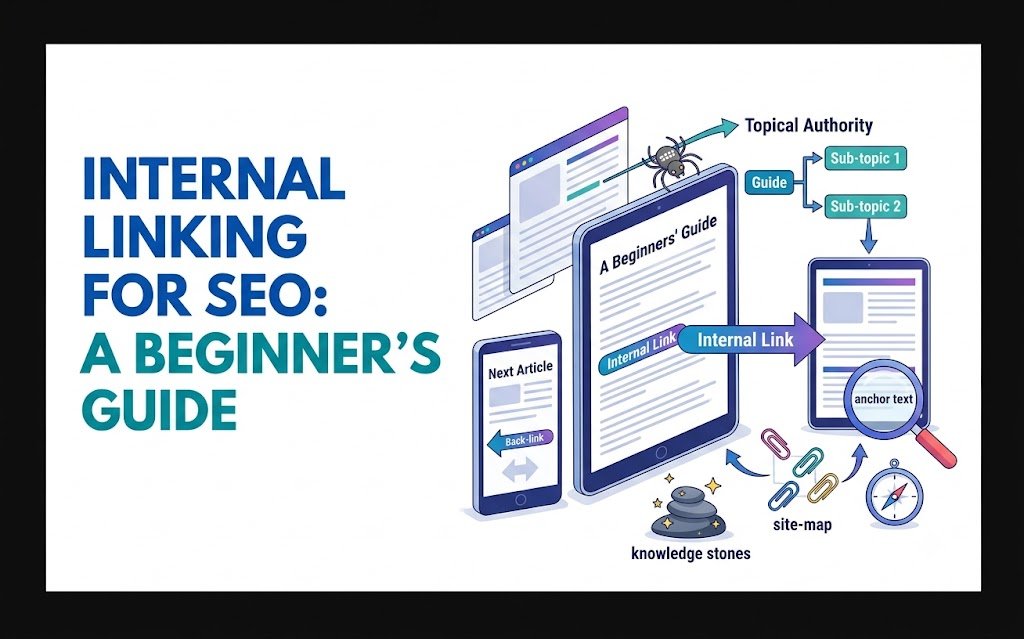
If you've ever published a blog post and then forgot it existed two weeks later, you're not alone. Most beginners write content and move on, never connecting it to anything else on their site.
That's a problem. Internal linking for SEO is one of the simplest ways to help search engines understand your site and help readers find more of your content. Yet it's often the most ignored part of on-page SEO.
In this guide, we'll break down exactly what internal linking is, why it matters, and how to do it without overthinking it.
What Is Internal Linking?
An internal link is simply a link from one page on your website to another page on the same website. That's it. No special tools, no complicated setup.
For example, if you're writing a post about "healthy breakfast ideas" and you mention smoothies, you could link to a previous post you wrote about "best smoothie recipes." That's an internal link.
External links, by comparison, point to other websites. Internal links keep visitors moving through your own content.
Why Internal Linking for SEO Actually Matters
Search engines use links to crawl and understand your site. When Googlebot lands on your homepage, it follows links to discover other pages. If a page has no internal links pointing to it, it's much harder for search engines to find and index it.
Here's what good internal linking does for you:
✅ Helps search engines discover new content faster. New pages with internal links from older, indexed pages get crawled sooner.
✅ Distributes "link juice" across your site. When an authoritative page links to a newer page, some of that authority passes along, helping the newer page rank.
✅ Keeps visitors on your site longer. More page views per session is a signal that your content is useful, and it reduces bounce rate.
✅ Builds topical authority. When multiple related articles link to each other, search engines start to see your site as a trusted source on that topic.
This last point is especially important if you're building what's called a content cluster — a group of related articles that all link back to a central "pillar" page. We'll touch on that more below.
How to Do Internal Linking the Right Way
1. Link to relevant content only
Don't link just for the sake of linking. If a link doesn't help the reader, skip it. Every internal link should feel natural, like you're pointing someone to something genuinely useful.
2. Use descriptive anchor text
Anchor text is the clickable text in a link. "Click here" tells search engines and readers nothing. Instead, use anchor text that describes what the linked page is about.
For example: "Learn more about anchor text for SEO" is far more useful than "click here to learn more."
Descriptive anchor text helps Google understand what the linked page covers, and it sets clear expectations for readers.
3. Link from high-traffic pages to newer ones
If you have an older post that consistently gets traffic, use it to introduce readers to newer content. This passes authority and visibility to pages that need it most.
4. Don't overdo it
There's no magic number, but cramming 20 links into a 600-word post looks spammy and overwhelms readers. If you're wondering how many internal links per page is ideal, the short answer is: enough to be helpful, not so many that it feels cluttered.
5. Keep your structure logical
Think of your site like a filing cabinet. Pillar pages are the drawers, and individual articles are the folders inside them. Each folder should link back to its drawer, and the drawer should link to all its folders. This is the foundation of a content cluster.
If you're new to the bigger picture of structuring pages for search engines, our guide on on-page SEO for beginners covers the fundamentals that internal linking builds on.
Common Internal Linking Mistakes to Avoid
❌ Linking to the same page over and over with identical anchor text. Vary your anchors naturally based on context.
❌ Leaving orphan pages. These are pages with zero internal links pointing to them. They're nearly invisible to both search engines and readers.
❌ Linking to broken or outdated pages. Periodically check that your internal links still point somewhere useful.
❌ Ignoring older content. Go back to posts from six months or a year ago and add links to newer, relevant articles. This is one of the easiest SEO wins available.
A Simple Way to Check Your Internal Linking
Manually auditing every page on your site for internal linking opportunities can take hours, especially if you've been publishing for a while. This is where having the right tool helps.
Rankivo's SEO Score Checker analyzes your content and flags areas where internal linking, structure, and other on-page elements could be improved, without requiring you to dig through expensive enterprise platforms or spreadsheets. It's built for people who want clear, actionable feedback without the steep learning curve.
Final Thoughts
Internal linking for SEO isn't glamorous, but it's one of the highest-leverage things you can do for your site. It helps search engines crawl and rank your pages, and it keeps readers engaged longer.
Start small: pick three older posts, find natural opportunities to link to newer content, and use descriptive anchor text. Do this consistently, and you'll build a site structure that supports your SEO efforts for the long run.
Ready to strengthen your site's structure? Try Rankivo's SEO Score Checker to spot internal linking gaps and improve your on-page SEO, or head to rankivo.co to explore the full toolkit.
This Article Is Part of Our Keyword Research Series
📚 Explore the full Keyword Research Series
Start here:
Pillar article:
👉 On-Page SEO for Beginners: The Complete 2026 Guide
Parent cluster article:
Internal Linking for SEO: A Beginner's Guide ← You are here
Explore the full series to go deeper on any topic.
FAQ
What is internal linking in SEO?
Internal linking is the practice of linking from one page on your website to another page on the same site. It helps search engines crawl your content and helps readers navigate to related information.
How many internal links should a blog post have?
There's no fixed number, but most blog posts benefit from 2-5 relevant internal links. The goal is to be helpful, not to hit a quota.
Does internal linking really affect rankings?
Yes. Internal links help search engines discover and prioritize pages, distribute authority across your site, and improve user engagement, all of which can influence rankings.
What's the difference between internal and external links?
Internal links point to other pages on your own website. External links point to pages on different websites entirely.
Should I go back and add internal links to old blog posts?
Absolutely. Updating older content with links to newer, relevant posts is one of the easiest and most effective internal linking strategies.
Ready to create content like this?
Use RANKIVO to generate SEO-optimized content in seconds. Start free today.
Start Free — No Credit Card