On-Page SEO for Beginners: The Complete 2026 Guide
New to on-page SEO? This complete beginner's guide covers title tags, meta descriptions, headings, internal links, and more — with practical
June 10, 2026
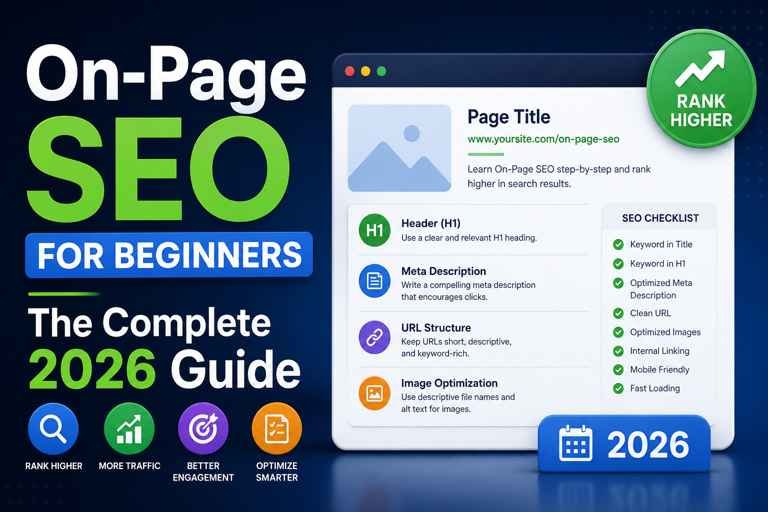
If you want your content to rank on Google, on-page SEO is where it starts.
It's not magic. It's not complicated. It's a set of decisions you make on every page you publish — decisions that tell Google what your content is about, how trustworthy it is, and whether it deserves to rank above everyone else covering the same topic.
This guide covers every core element of on-page SEO for beginners. By the end, you'll know exactly what to do on every article, page, or post you publish — and why each element matters.
What Is On-Page SEO?
On-page SEO refers to everything you do directly on a page to improve its chances of ranking in search engines.
This is different from off-page SEO (building backlinks, brand mentions) and technical SEO (site speed, crawlability, XML sitemaps). Those matter too — but on-page is where most beginners should start, because it's entirely within your control.
Every time you publish a page, you make on-page SEO decisions — even if you don't realise it. Whether you write a clear title or a vague one. Whether you structure your headings properly or dump everything into one block of text. Whether your URL makes sense or looks like a random string of characters.
Good on-page SEO means making those decisions deliberately.
Why On-Page SEO Still Matters in 2026
Some people argue that Google has gotten smart enough that on-page SEO doesn't matter anymore. That's wrong.
Google's algorithm has gotten better at understanding content — which means it's better at spotting pages that are poorly optimised, poorly structured, or poorly matched to what someone searched for. Doing on-page SEO well matters more now, not less.
Here's what on-page SEO actually does for you:
👉 Tells Google precisely what your page is about so it can match it to relevant searches
👉 Improves your click-through rate in search results, which sends positive signals back to Google
👉 Makes your content easier to read, which keeps people on the page longer
👉 Helps Google understand the structure and hierarchy of your content
Every element we cover in this guide contributes to at least one of those outcomes.
The 7 Core Elements of On-Page SEO
1. Title Tags
Your title tag is the clickable headline that appears in Google search results. It's one of the most important on-page ranking signals and the first thing a searcher sees before deciding whether to click.
A strong title tag:
✅ Is 50–60 characters long
✅ Includes your primary keyword near the beginning
✅ Reads naturally and tells the reader what they're getting
✅ Matches the search intent of whoever is looking for that topic
Most beginners either ignore the title tag entirely, or treat it as a copy-paste of their H1. Both are missed opportunities.
For a deep dive into writing title tags that rank and get clicked, read our guide: How to Write the Perfect SEO Title Tag (With Examples).
Rankivo's Meta Tags Generator can write and preview your title tag before you publish, so you know exactly how it will look in search results.
2. Meta Descriptions
The meta description is the short paragraph that appears under your title tag in search results. Google doesn't use it as a direct ranking factor — but it directly affects your click-through rate, which does influence rankings over time.
A good meta description:
✅ Is 150–160 characters
✅ Summarises the page clearly and honestly
✅ Includes your primary keyword (Google bolds it in the results)
✅ Has a light call to action or benefit statement
❌ Leaving it blank is a mistake. Google will auto-generate one, and it usually picks an awkward chunk of text from wherever it lands on your page.
Go deeper: How to Write a Meta Description That Gets Clicks.
3. Heading Tags (H1, H2, H3)
Headings give your content structure. They help readers scan, and they help Google understand the hierarchy of information on your page.
Every page should have exactly one H1 — your main title. Below that, use H2s for major sections and H3s for sub-points within those sections. This isn't just a style preference; it creates a clear content outline that Google can parse.
Your H1 should include your primary keyword. Your H2s are a good place for secondary keywords and related terms.
What to avoid:
❌ Multiple H1s on one page
❌ Skipping heading levels (going from H1 to H4)
❌ Using heading tags just for visual styling rather than content structure
Full guide: How to Use Heading Tags (H1, H2, H3) for SEO.
4. Keyword Placement and Content Optimisation
Choosing the right keyword is handled during research. On-page SEO is about placing that keyword — and related terms — in the right spots.
Where your primary keyword should appear:
👉 In the title tag
👉 In the H1
👉 In the first 100–150 words of the article
👉 In at least one H2
👉 Naturally throughout the body (target 1–3% density)
👉 In the meta description
👉 In the URL slug
Secondary keywords and related terms should appear naturally throughout. In 2026, Google understands synonyms and context well — you don't need to repeat the exact keyword over and over. Write clearly about the topic, and the keyword coverage tends to follow.
Rankivo's Keyword Research Tool helps you find the right primary and secondary keywords before you write — including difficulty scores, search volume, and intent signals so you're targeting terms you can actually rank for.
For the full breakdown of content optimisation: How to Optimize Your Blog Content for SEO (Step-by-Step).
5. Content Quality and Depth
Google ranks content that best answers the searcher's question. That means surface-level articles written in 20 minutes rarely rank for competitive keywords.
Good on-page content:
✅ Fully covers the topic without padding
✅ Uses examples, specifics, and practical steps — not vague generalisations
✅ Matches the depth and format the searcher expects (guide vs. list vs. definition)
✅ Is readable — short paragraphs, active voice, no unnecessary jargon
Longer isn't automatically better. A 600-word article that directly answers a specific question will outrank a 2,000-word article that wanders. Write the length the topic actually needs.
If writing full articles is slowing you down, Rankivo's Blog Generator produces SEO-structured long-form content with proper H1–H3 hierarchy and keyword placement built in.
6. URL Structure
Your URL tells both Google and users what a page is about before they even open it. A clean, readable URL is a small but real on-page SEO factor.
✅ Good URL:
/blog/on-page-seo-for-beginners❌ Bad URL:
/blog/?p=4821
Best practices for URLs:
✅ Keep it short — 3 to 5 words is ideal
✅ Use hyphens to separate words (not underscores)
✅ Lowercase only
❌ No stop words (a, the, and, of) unless necessary for readability
❌ Never change a URL after publishing without setting up a 301 redirect
Full breakdown: URL Structure for SEO: How to Create URLs That Rank.
7. Internal Linking
Internal links are links from one page on your site to another. They do two things: they help Google discover and crawl your content, and they pass authority between pages.
Most beginners either ignore internal links or only add them as an afterthought. That's a mistake. A deliberate internal linking structure is one of the fastest ways to improve rankings across your entire site — not just individual pages.
Best practices:
✅ Link from high-authority pages to newer or weaker pages
✅ Use descriptive anchor text (not "click here" or "read more")
✅ Link to relevant content — don't force connections that don't make sense
✅ Make sure every page on your site has at least one internal link pointing to it
Full guide: Internal Linking for SEO: A Beginner's Guide.
8. Image Optimisation
Every image you add to a page is an opportunity — and most people leave it on the table.
Image SEO covers:
👉 File names: rename images before uploading (not
IMG_4821.jpg— usedescriptive-keyword-filename.jpg)👉 Alt text: a short description of the image that Google reads; include your keyword where it fits naturally
👉 File size: large images slow your page down; compress before uploading
👉 File format: WebP loads faster than JPEG or PNG with no visible quality difference
Alt text is the most important of these. It tells Google what the image shows, which helps both image search rankings and overall page relevance.
Deep dive: Image SEO: How to Optimize Images for Search Engines.
How to Check Your On-Page SEO Score
Once your page is written, you need to verify it's actually optimised — not just assume it is.
Rankivo's SEO Score Checker analyses your content and gives you an actionable score covering keyword placement, heading structure, meta tags, readability, and more. It tells you exactly what's missing and what to fix before you publish.
This is faster and more reliable than manually going through a checklist every time.
On-Page SEO Is a System, Not a One-Time Task
Here's something most beginner guides don't tell you: on-page SEO is ongoing.
Publishing a page isn't the end of the process. Over time:
👉 Your keyword rankings change — review underperforming pages and update the title tag, headings, or content depth
👉 New internal linking opportunities appear as you publish more content — go back and add links
👉 Content becomes outdated — refresh statistics, examples, and dates annually
The sites that dominate search results aren't just publishing more content. They're maintaining it.
On-Page SEO Checklist (Quick Reference)
Before publishing any page, run through this list:
Title Tag
✅ 50–60 characters
✅ Primary keyword in first half
✅ Reads naturally, matches intent
Meta Description
✅ 150–160 characters
✅ Keyword included
✅ Clear benefit or hook
Headings
✅ One H1 only
✅ Keyword in H1
✅ H2s and H3s used for structure
❌ No heading levels skipped
Content
✅ Primary keyword in first 150 words
✅ Keyword in at least one H2
✅ 1–3% keyword density
✅ Secondary keywords placed naturally
✅ Matches search intent
URL
✅ Short and readable
✅ Keyword in slug
❌ No stop words or dates
Images
✅ Descriptive file names
✅ Alt text on every image
✅ Compressed before upload
Internal Links
✅ At least 2–3 relevant internal links
✅ Descriptive anchor text used
Where to Start If You're New to This
Don't try to implement everything at once. Start with the highest-impact elements first:
👉 Fix your title tags — this alone can move rankings
👉 Write proper meta descriptions for every page
👉 Clean up your heading structure
👉 Add internal links to your existing content
Each of these takes less than 30 minutes per page and delivers real, measurable results.
The detailed guides in this series cover each element step by step. Work through them in order, apply what you learn, and your on-page SEO will be stronger than the majority of sites in your niche.
This Article Is Part of Our On-Page SEO Series
📚 Explore the full Keyword Research Series
Start here:
This is the Pillar article. It links to all 7 cluster guides below.
Explore the full series to go deeper on any topic.
Frequently Asked Questions
What is on-page SEO in simple terms?
On-page SEO is everything you do on a page itself to help it rank higher in Google — including your title tag, headings, content, URL, images, and internal links. It's the part of SEO you have full control over.
Is on-page SEO enough to rank?
For low-competition keywords, yes — strong on-page SEO alone can get you to page one. For competitive keywords, you'll also need backlinks and strong domain authority. But on-page is always the foundation. There's no point building links to a poorly optimised page.
How long does on-page SEO take to work?
Typically 4–12 weeks for new pages, depending on your site's authority and how competitive the keyword is. For existing pages, improvements to the title tag or content often produce results within a few weeks.
Do I need to do on-page SEO for every page?
Yes. Every page you want to rank needs to be optimised. Google ranks individual pages, not whole websites. A great homepage won't help a poorly optimised blog post rank.
What's the difference between on-page SEO and content marketing?
Content marketing is the strategy — deciding what to write about, who it's for, and how to distribute it. On-page SEO is the execution — making sure what you publish is structured and optimised for search. They work together.
Ready to put this into practice? Run your next page through Rankivo's free SEO Score Checker and get instant feedback on every on-page element — or explore the full toolkit at rankivo.co.
Ready to create content like this?
Use RANKIVO to generate SEO-optimized content in seconds. Start free today.
Start Free — No Credit Card