How to Write a Meta Description That Gets Clicks
Learn how to write meta descriptions that improve click-through rates. Includes length rules, formulas, real examples, and a free generator tool.
Sarah Malik
Content & Keyword Expert · June 12, 2026
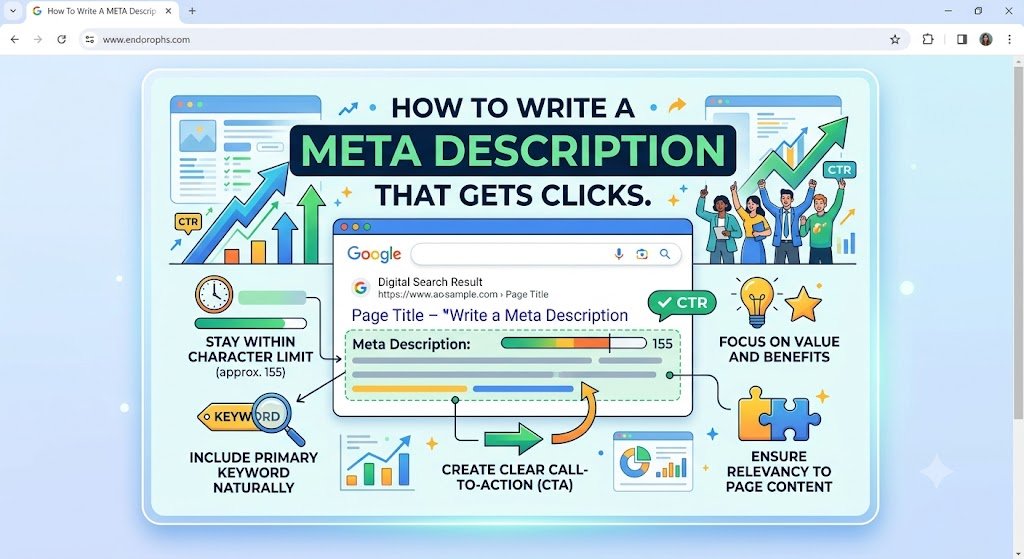
The meta description sits right below your title tag in Google search results. It doesn't directly affect your ranking — but it absolutely affects whether anyone clicks your result.
That makes knowing how to write a meta description one of the most practical on-page SEO skills you can develop. A well-written one lifts your click-through rate. A weak one — or a missing one — hands clicks to whoever is listed next to you.
This guide covers what a meta description is, what makes one work, and a formula you can use every time you write one.
What Is a Meta Description?
A meta description is a short HTML attribute that summarises the content of a page. It typically appears as the grey paragraph beneath the blue title link in Google search results.
It looks like this in your HTML:
<meta name="description" content="Learn how to write meta descriptions that improve click-through rates. Includes length rules, formulas, real examples, and a free generator tool.">Google doesn't always show your meta description. If it decides your written description doesn't match the search query well enough, it will pull a snippet of text from your page instead. Writing a strong, relevant meta description reduces how often that happens.
Does the Meta Description Affect SEO Rankings?
Google has confirmed that meta descriptions are not a direct ranking factor. Your page won't rank higher simply because you have a well-written description.
But here's why it still matters enormously:
Your meta description is your ad copy in search results. It's the difference between someone clicking your link or the one above or below it. A higher click-through rate sends a signal to Google that your result is relevant and satisfying — which can indirectly support your rankings over time.
Leaving it blank is one of the most common beginner mistakes. When you don't write one, Google auto-generates it — and it almost always pulls an awkward, out-of-context sentence from somewhere on the page.
Write it yourself. Every time.
How Long Should a Meta Description Be?
The standard recommendation is 150–160 characters.
Google truncates descriptions that go over roughly 160 characters on desktop, cutting them off with an ellipsis (…). On mobile the limit is slightly shorter — around 120 characters.
That said, character count alone isn't the goal. A 140-character description that's clear, specific, and compelling beats a padded 158-character one every time.
If in doubt, aim for 150–155 characters. That gives you enough room to be descriptive without risking a cut-off.
For a full breakdown of what happens when your description is too short or too long, see: Meta Description Too Short or Too Long: What Actually Matters.
6 Rules for Writing a Meta Description That Gets Clicks
1. Match the Search Intent
Your meta description should confirm to the searcher that your page is exactly what they were looking for.
Someone searching "how to write a meta description" wants a guide with practical steps. If your description reads like a product page or a vague overview, they'll click someone else's result.
Read the search query. Write a description that answers it directly.
2. Include Your Primary Keyword
Google bolds keywords in the meta description that match what the user searched for. This makes your result stand out visually in a list of blue links and grey text.
You don't need to force the keyword in awkwardly — just make sure it appears naturally. If it fits, it will get bolded. If it doesn't appear at all, you miss a visual advantage.
3. Be Specific, Not Vague
❌ Vague: "Learn everything you need to know about meta descriptions and SEO."
✅ Specific: "Learn how to write meta descriptions that improve click-through rates. Includes length rules, formulas, and real examples."
The second version tells the reader exactly what they'll get. Specificity builds trust and sets accurate expectations — both of which increase clicks.
Avoid filler phrases like "In this article, we will discuss…" or "This page covers everything about…". Get straight to the point.
4. Add a Benefit or Hook
Your meta description competes with every other result on the page. Give the reader a reason to choose yours.
This doesn't mean writing clickbait. It means clearly communicating what's valuable about your content:
✅ "Includes a copy-paste formula you can use today"
✅ "With real before-and-after examples"
✅ "Plus a free tool to check yours in seconds"
One strong benefit statement at the end of the description often lifts CTR noticeably.
5. Write in Active Voice
❌ Passive: "Meta descriptions are explained here along with best practices."
✅ Active: "Learn how to write meta descriptions that get more clicks from Google."
Active voice is shorter, more direct, and more persuasive. It also tends to fit more meaning into fewer characters.
6. Don't Duplicate Descriptions Across Pages
Every page on your site should have a unique meta description. Duplicate descriptions confuse both Google and users — and they're a sign to Google that your content might not be meaningfully differentiated.
If you have a large site with dozens or hundreds of pages, Rankivo's SEO Score Checker can flag duplicate or missing meta descriptions across your content so you can fix them systematically.
A Formula That Works Every Time
Here's a reliable structure for writing meta descriptions quickly:
[What the page is] + [What the reader will get] + [One benefit or hook]
Examples using this formula:
✅ "A step-by-step guide to writing SEO title tags that rank. Covers length, keyword placement, and intent — with real examples and a free preview tool."
✅ "Everything beginners need to know about on-page SEO. Covers title tags, meta descriptions, headings, internal links, and image optimisation in one place."
✅ "Learn how anchor text affects your internal linking strategy and search rankings. Includes examples of good vs. weak anchor text and how to fix common mistakes."
This formula works because it answers three things the searcher is asking subconsciously: What is this? What will I learn? Why should I click this one?
What Google Does When You Don't Write One
If you leave the meta description blank, Google generates one automatically. It usually pulls from one of these places:
👉 The first sentence or two of your page
👉 A sentence that contains the search query keyword
👉 A random paragraph it decides is relevant
The result is almost always worse than what you'd write yourself. It might be a sentence fragment, a navigation menu item, or something completely off-topic.
More importantly, it's a missed opportunity. The meta description is prime real estate in search results. Use it.
How to Write and Preview Meta Descriptions Before Publishing
Writing a meta description blind — without seeing how it will look in a real search result — is like designing a poster without seeing how it prints.
Rankivo's Meta Tags Generator lets you write your meta description and see an instant preview of how it appears in Google search results, including a live character count. It also generates meta description options based on your target keyword, so you have a strong starting point even if you're not sure what to write.
Pair it with the SEO Score Checker to verify the rest of your on-page elements are solid before you hit publish.
For everything else that goes into optimising a page before it goes live, start with the On-Page SEO for Beginners: The Complete 2026 Guide.
This Article Is Part of Our On-Page SEO Series
📚 Explore the full Keyword Research Series
Start here:
Pillar article:
👉 On-Page SEO for Beginners: The Complete 2026 Guide
Other articles in this series:
How to Write a Meta Description That Gets Clicks← You are here
Explore the full series to go deeper on any topic.
Frequently Asked Questions
Does Google always show the meta description I write?
Not always. Google overrides your meta description when it decides a snippet from the page content better matches the search query. Writing a clear, keyword-relevant description reduces how often this happens — but it's not guaranteed.
Should I include a call to action in my meta description?
A soft one, yes. Phrases like "Learn how to…", "Find out…", or "Get the full guide…" work well. Hard sales language ("Buy now", "Sign up today") rarely fits the context of an organic search result.
Can I use the same meta description on multiple pages?
No. Every page should have a unique meta description. Duplicates are a missed opportunity at best and a confusing signal to Google at worst.
What happens if my meta description is too long?
Google cuts it off with an ellipsis at around 160 characters on desktop. The key information — your keyword, the benefit, the hook — should appear in the first 150 characters so nothing important gets cut.
Is a meta description the same as a meta tag?
A meta description is one type of meta tag. Other meta tags include the robots tag (which controls crawling and indexing), the viewport tag (for mobile display), and Open Graph tags (for social sharing). The meta description is the only one visible to users in search results.
Ready to write meta descriptions that actually get clicked? Try Rankivo's free Meta Tags Generator — or start optimising your full on-page SEO at rankivo.co.
Written by
Sarah Malik
Content & Keyword Expert
Sarah blends data-driven keyword research with compelling storytelling. She helps SaaS brands build topical authority through content that ranks and converts.
Ready to create content like this?
Use RANKIVO to generate SEO-optimized content in seconds. Start free today.
Start Free — No Credit Card