Shopify Product Page SEO - How to Optimize for Search
Learn how to optimize Shopify product pages for SEO — from titles and meta descriptions to URLs and content structure that actually ranks.
July 5, 2026
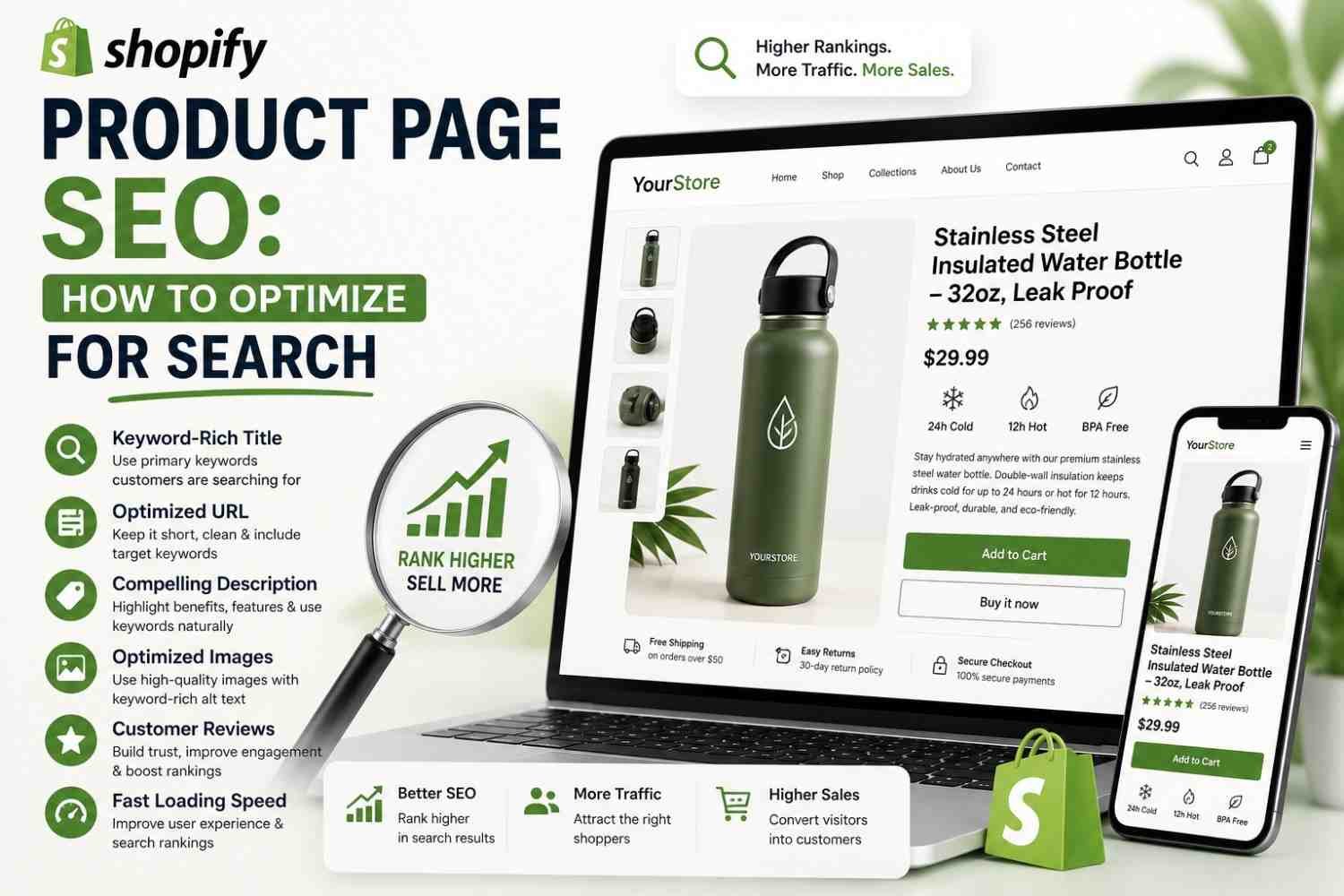
If your Shopify store isn't showing up in Google, it's usually not a "Shopify problem" — it's a shopify product SEO problem. The platform gives you everything you need to rank. Most sellers just never set it up correctly.
This guide walks through exactly how to optimize a Shopify product page for search, step by step, without needing a developer or a $99/month enterprise tool to do it.
Why Shopify Product Pages Struggle to Rank
Shopify is technically solid out of the box. But default themes often leave SEO basics half-finished — generic meta descriptions, thin product copy, and URLs stuffed with unnecessary words.
❌ Meta descriptions left blank or auto-generated from the first line of copy
❌ Product descriptions copied straight from the supplier
❌ URLs like
/products/product1instead of the product name❌ No internal links between related products or collections
None of these are hard to fix. They just get skipped because most store owners are focused on running the business, not the SEO checklist.
Step 1: Fix Your Product Titles First
Your product title is the single strongest on-page ranking signal Shopify gives you. It also becomes your page's default meta title unless you override it.
👉 Lead with the product name, then key descriptors (material, size, use case)
👉 Keep it under 60 characters so it doesn't get cut off in search results
👉 Avoid keyword stuffing — one clear, specific title beats five vague ones
Example: instead of "Yoga Mat," write "Non-Slip Yoga Mat — 6mm Extra Thick, Eco Cork." It's specific, it's searchable, and it still reads naturally to a buyer.
Step 2: Optimize Your Meta Title and Description
Shopify auto-fills these fields from your product title and description, but you should always edit them manually under the page's "Search engine listing preview" section.
A strong meta description tells Google — and the searcher — exactly what they're clicking into. For a full walkthrough of writing these correctly, see our guide on writing a meta description that gets clicks.
You can check your current meta setup instantly using the Rankivo SEO Score Checker — it flags missing or duplicate meta tags across your whole product catalog in one scan.
Step 3: Clean Up Your Product URLs
Shopify generates a URL slug automatically from your product title, but it's editable — and it should be edited before the page goes live. Once a product starts getting indexed, changing the URL later means losing the SEO equity you've already built.
✅ Keep the slug short and keyword-relevant:
/products/non-slip-yoga-mat✅ Remove filler words like "the," "our," or "best"
❌ Don't change a URL after it's indexed unless you set up a proper redirect
Our full breakdown of URL structure for SEO covers this in more depth if you're setting up a new store from scratch.
Step 4: Write Product Descriptions That Actually Rank
This is where most Shopify stores lose the most ground. Supplier-provided descriptions are often duplicated across hundreds of other stores selling the same product — which means Google has no reason to rank yours above the rest.
What a Ranking-Ready Description Needs
👉 Your primary keyword in the first 50 words
👉 Specific product details — materials, dimensions, use cases — not generic claims
👉 Original phrasing, even if the product itself is identical to competitors'
Writing unique, keyword-optimized descriptions for every product in a catalog is time-consuming, especially past 50-100 SKUs. This is exactly the gap our professional product description service is built to close — a real writer handles the copy while you focus on running the store.
Step 5: Add Internal Links Between Products
Shopify doesn't do this for you automatically. Linking related products and collection pages to each other helps Google understand your site structure and spreads ranking authority across your catalog.
✅ Link from product pages to relevant collections
✅ Use descriptive anchor text, not "shop now" or "click here"
❌ Don't link every product to every other product — keep links relevant
For more on how to structure this properly, see our guide on internal linking for SEO.
A Simple Shopify Product SEO Checklist
✅ Descriptive, keyword-relevant product title
✅ Custom meta title and meta description (not auto-generated)
✅ Clean, edited URL slug before publishing
✅ Original, detailed product description
✅ Alt text on all product images
✅ Internal links to related products or collections
Running through this checklist on even your top 20 highest-traffic products often produces a noticeable ranking shift within a few weeks — no app installs or theme changes required.
Conclusion
Shopify product SEO isn't about finding some hidden setting or installing another app. It's about deliberately filling in the fields Shopify already gives you — titles, meta tags, URLs, and descriptions — instead of leaving them on autopilot.
Start with your best-selling products, work through the checklist above, and expand from there as time allows.
📚 This Article Is Part of Our E-commerce Product SEO Series
Pillar: E-commerce Product SEO for Beginners: The Complete 2026 Guide
How to Write a Product Description That Sells (With Examples)
Shopify Product Page SEO: How to Optimize for Search ← You are here
Product Title SEO: How to Write Titles That Rank and Convert
Explore the full series to go deeper on any topic.
FAQ
Does Shopify have built-in SEO tools?
Yes — Shopify lets you edit meta titles, meta descriptions, URL slugs, and image alt text on every product page. It doesn't optimize these for you automatically, so they need to be filled in manually for each product.
How long does Shopify SEO take to show results?
Most stores see initial movement within 4-8 weeks after fixing titles, meta tags, and descriptions, though full re-indexing and ranking stabilization can take longer depending on competition.
Do I need an app to optimize Shopify product pages for SEO?
No. Everything covered in this guide — titles, meta tags, URLs, descriptions, alt text — is editable natively in Shopify's admin panel without installing any apps.
Writing original, keyword-optimized descriptions for every product in your Shopify catalog takes time most store owners don't have.
Ready to create content like this?
Use RANKIVO to generate SEO-optimized content in seconds. Start free today.
Start Free — No Credit Card