Why Google Rewrites Your Title Tag (And How to Stop It)
Google rewrites title tags more often than most people realise. Learn why it happens, what triggers it, and how to write titles Google won't touch.
Sarah Malik
Content & Keyword Expert · June 18, 2026
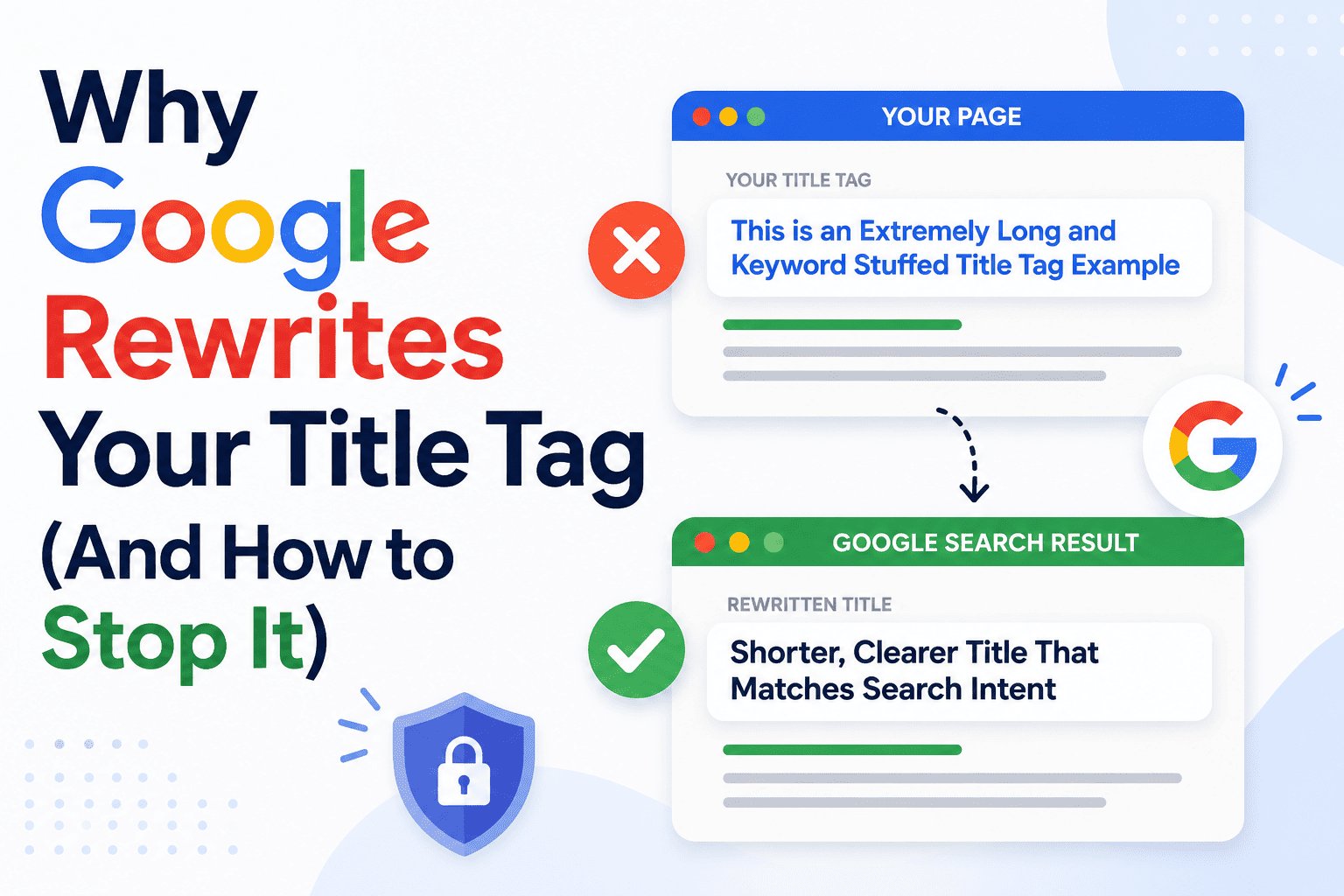
You spend time writing the perfect title tag — then Google replaces it with something you didn't write.
This happens more than most people realise. Google rewrites title tags on a significant portion of pages, often swapping in text from the H1, a heading further down the page, or even anchor text from external links pointing to the page.
Understanding why Google rewrites title tags is the first step to stopping it. The reasons are specific, and most of them are fully avoidable.
Why Google Rewrites Title Tags
Google's stated goal is to show users the most accurate, helpful title for a page — based on what the page actually contains and what the user searched for. When Google decides your title tag doesn't meet that standard, it substitutes its own.
Here are the main triggers:
1. The Title Tag Is Too Long
This is the most common reason. When your title exceeds Google's display limit — roughly 600 pixels, or about 60 characters — Google may truncate it or rewrite it entirely with a shorter version pulled from your content.
✅ The fix: keep title tags between 50 and 60 characters.
2. The Title Is Keyword-Stuffed
If your title contains the same keyword multiple times, or reads like a list of search terms rather than a natural sentence, Google flags it as low quality and replaces it.
❌ Stuffed: "SEO Title Tags — Best SEO Title Tag Tips — SEO Title Tag Examples 2026"
👉 Rewritten by Google: something pulled from your H1 or body copy instead
✅ The fix: write one clear, natural title with the keyword appearing once.
3. The Title Doesn't Match the Page Content
If your title tag promises something that the page doesn't deliver — or describes the page inaccurately — Google will rewrite it to better reflect the actual content.
This can happen unintentionally. You might optimise the title for a keyword that's only tangentially related to the main topic, or keep an old title after substantially updating the page content.
✅ The fix: make sure your title accurately describes what the page is actually about.
4. The Title Is Too Generic or Vague
Titles like "Home", "Blog Post", "Article", or "Products" give Google nothing useful to work with. They don't describe the page, so Google replaces them with something more descriptive.
✅ The fix: every page needs a unique, specific title that communicates the topic clearly.
5. The Title Is Boilerplate Across Multiple Pages
If dozens of pages on your site share the same title structure — or the same title entirely — Google may rewrite them to differentiate the pages in search results.
This is common on e-commerce sites with category pages, or blogs that use a generic template without customising each title.
✅ The fix: write a unique title for every page, even if the content is similar.
6. The H1 Is a Better Match for the Search Query
Sometimes Google doesn't rewrite because your title is bad — it rewrites because your H1 is a better match for what someone searched. Google may decide the H1 more accurately represents the page for that specific query.
This isn't always preventable. But it happens less often when your title tag and H1 are closely aligned and both include the primary keyword.
What Google Replaces Your Title With
When Google rewrites, it typically pulls from one of these sources:
👉 Your H1 heading
👉 A subheading (H2 or H3) further down the page
👉 Anchor text from external sites linking to your page
👉 Your page's Open Graph title tag (used for social sharing)
👉 Text from within the body of the page
In most cases, Google chooses the H1. That's why having a strong, keyword-focused H1 matters — even when you've written a good title tag. If Google does override your title, you want it to replace it with something close to what you intended.
How to Write Title Tags Google Won't Rewrite
Follow these principles and Google rewrites become rare:
✅ Keep it between 50 and 60 characters
✅ Use the primary keyword once, naturally
✅ Write a title that accurately describes the page
✅ Make it unique — no duplicate titles across pages
✅ Align it closely with your H1 so any override is still a good result
❌ Avoid superlatives and clickbait that contradict the content ("The Greatest Guide Ever Written About…")
Before publishing, preview your title in a live search result simulator. Rankivo's Meta Tags Generator shows you exactly how your title renders in Google — and flags issues like excessive length or keyword repetition before they become a problem.
For the complete guide on writing title tags that rank and stay as written, read: How to Write the Perfect SEO Title Tag (With Examples).
For the full picture of what on-page optimisation involves beyond title tags, see the On-Page SEO for Beginners: The Complete 2026 Guide.
This Article Is Part of Our On-Page SEO Series
📚 Explore the full Keyword Research Series
Start here:
Pillar article:
👉 On-Page SEO for Beginners: The Complete 2026 Guide
Parent cluster article:
👉 How to Write the Perfect SEO Title Tag (With Examples)
More articles in this group:
Why Google Rewrites Your Title Tag (And How to Stop It)← You are here
Explore the full series to go deeper on any topic.
Frequently Asked Questions
How often does Google rewrite title tags?
Studies have found Google rewrites title tags on anywhere from 33% to over 60% of pages depending on the industry and how well-optimised the originals are. Pages with long, stuffed, or vague titles are rewritten far more often than well-written ones.
Can I force Google to use my title tag?
No — there's no tag or directive that guarantees Google uses your title. The only way to reduce rewrites is to write titles that are accurate, concise, and aligned with your content.
Does Google rewriting my title hurt my rankings?
Not directly. Google's rewritten title doesn't change your ranking position. But if the replacement title is weaker than what you wrote, it can reduce your click-through rate — which may affect rankings indirectly over time.
Should my title tag and H1 be identical?
They don't have to be, but they should be closely related. Your H1 can be slightly longer or more descriptive. The closer they are, the more likely any Google override will still represent your page accurately.
Will updating my title tag stop Google from rewriting it?
Often yes — especially if the rewrite was triggered by length or keyword stuffing. Fix those issues, and Google usually switches back to your title within a few weeks of recrawling the page.
Write title tags Google won't touch with Rankivo's free Meta Tags Generator — or build your complete SEO setup at rankivo.co.
Written by
Sarah Malik
Content & Keyword Expert
Sarah blends data-driven keyword research with compelling storytelling. She helps SaaS brands build topical authority through content that ranks and converts.
Ready to create content like this?
Use RANKIVO to generate SEO-optimized content in seconds. Start free today.
Start Free — No Credit Card