Shopify Product URL Structure - Best Practices for SEO
Learn how to structure Shopify product URLs for SEO — clean slugs, keyword placement, and what to avoid once a page is indexed.
July 28, 2026
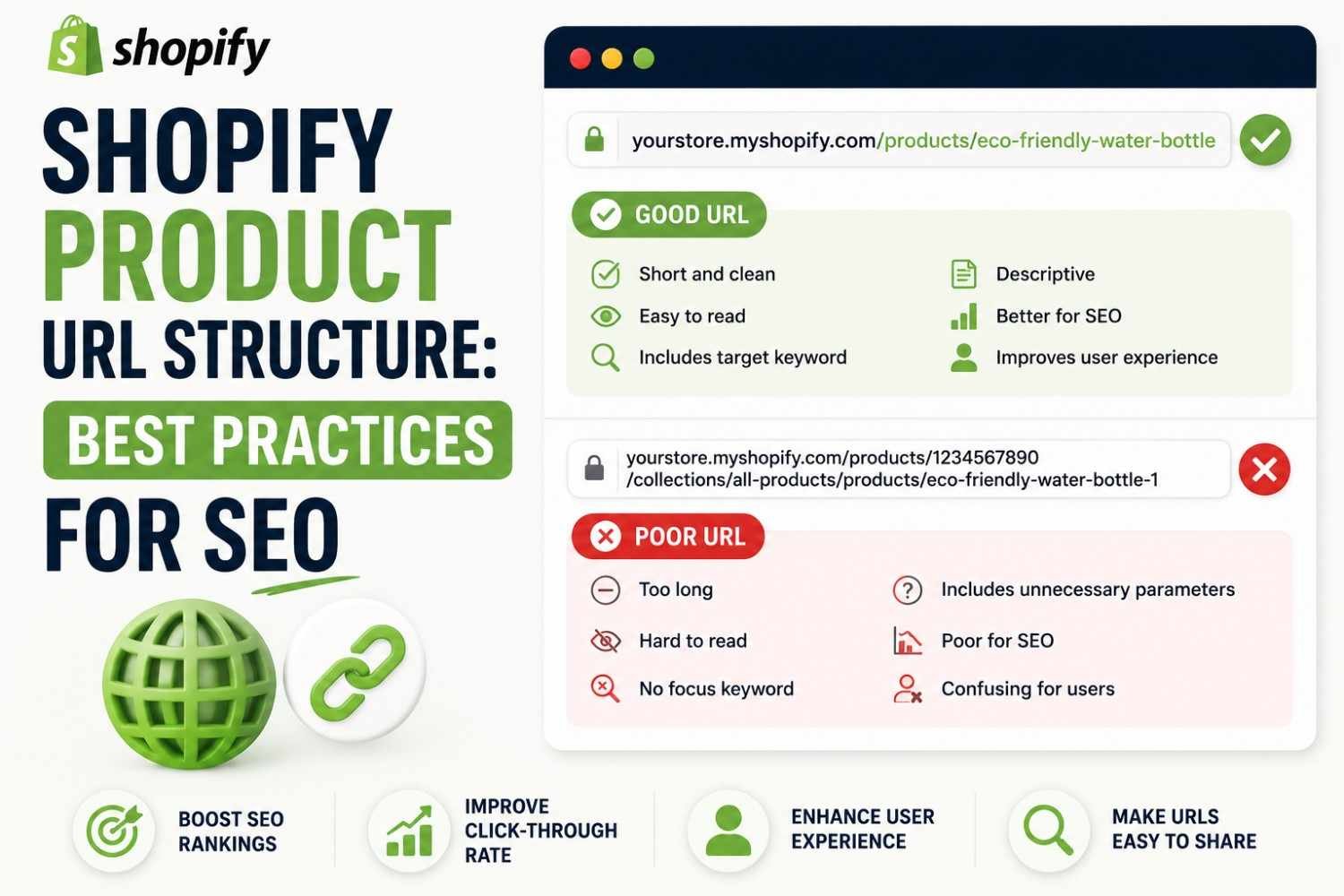
Good shopify product URL SEO comes down to one core habit: editing the URL slug before the page ever goes live. Shopify generates a default slug automatically, but the default isn't always the version worth keeping.
How Shopify Generates URLs by Default
When you create a new product, Shopify auto-fills the URL slug based on the product title. This usually works fine for simple, short titles, but longer or heavily descriptive titles often produce cluttered, unnecessarily long URLs.
The slug is editable under the same "Edit website SEO" section where meta title and description live — it's easy to miss if you're not specifically looking for it.
What a Clean Product URL Looks Like
- ✅
/products/non-slip-yoga-mat - ❌
/products/the-best-non-slip-yoga-mat-for-home-workouts-and-studio-use
The first version is short, keyword-relevant, and easy to read. The second buries the keyword under filler words that add length without adding SEO value.
Best Practices for Structuring the Slug
- 👉 Include the primary keyword or product name, kept concise
- 👉 Use hyphens between words, never underscores or spaces
- 👉 Remove filler words like "the," "our," "best," "amazing"
- ❌ Don't include variant details like color or size in the base URL if the product has multiple variants sharing one page
Why Editing Early Matters More Than Editing Later
Once a product URL is indexed by Google, changing it later means the original URL loses its accumulated ranking signals unless a proper 301 redirect is set up. Editing the slug before publishing avoids this problem entirely.
- ✅ Review and edit the URL slug before hitting publish on a new product
- ❌ Don't change an already-indexed URL without setting up a redirect first
If a URL absolutely needs to change after indexing, a 301 redirect from the old URL to the new one preserves most of the existing ranking value — but it's still a workaround, not a substitute for getting it right the first time.
Checking Your Existing URLs
For stores that have been live for a while, it's worth auditing existing product URLs rather than assuming they were set up correctly from the start. The Rankivo SEO Score Checker flags overly long or non-descriptive URLs alongside other on-page issues in a single scan.
A Quick Shopify URL Checklist
- ✅ Slug is short, ideally under 5-6 words
- ✅ Includes the primary keyword or clear product name
- ✅ No filler words or unnecessary punctuation
- ✅ Reviewed before publishing, not after indexing
Conclusion
Solid shopify product URL SEO is one of the simplest fixes available — a short, keyword-relevant slug edited before a product page goes live avoids most of the problems that come with long, generic default URLs. For the full product page optimization process, see our guide on Shopify product page SEO.
FAQ
Can I change a Shopify product URL after it's published?
Yes, but if the page has already been indexed by Google, changing the URL without a 301 redirect can cause the page to lose its accumulated ranking signals.
Should Shopify product URLs include the full product title?
Not necessarily. A shorter version that keeps the primary keyword while dropping filler words like "the" or "best" is usually more effective than using the full title verbatim.
Do underscores or spaces work in Shopify URL slugs?
Hyphens are the standard and recommended separator for URL slugs. Underscores and spaces are generally avoided since search engines treat hyphens as word separators more reliably.
Not sure if your existing product URLs are too long or missing keywords entirely?
Ready to create content like this?
Use RANKIVO to generate SEO-optimized content in seconds. Start free today.
Start Free — No Credit Card